ewaybillgst.gov.in · via Whitebooks (BVM IT Consulting Services)
Create Your E-Way Bill API Credentials
A 5-step guide, with real screenshots, to create the API username and password ClayBill needs to generate e-way bills on your behalf. Free, takes about 3 minutes.
Generating an e-invoice too? See the E-Invoice guide
1
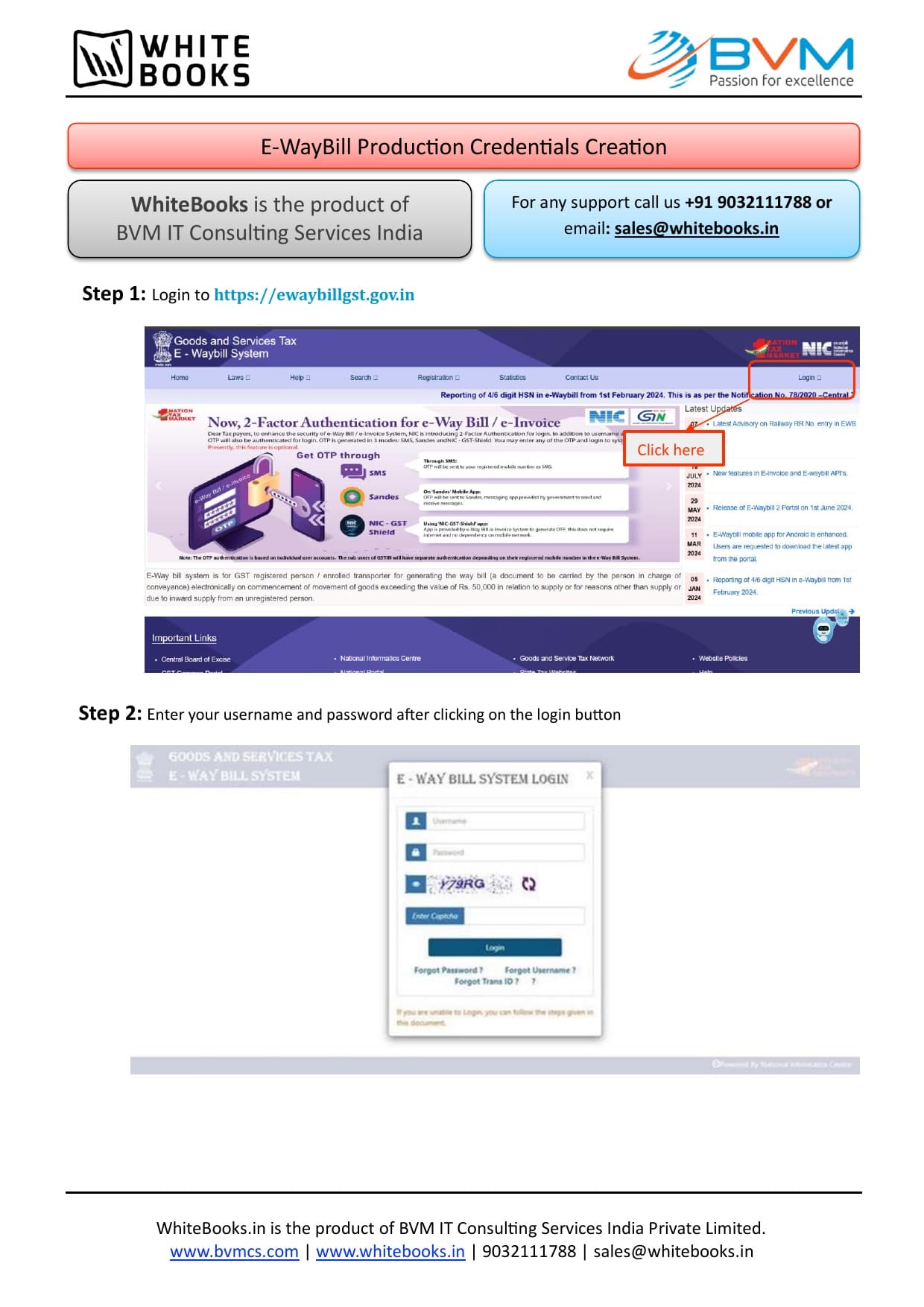
Log in to the official E-Way Bill portal
1Open https://ewaybillgst.gov.in in your browser.
2Enter your existing E-Way Bill Username, Password, and the Captcha shown.
3Click Login.
Important: Use your regular E-Way Bill portal login for this — you're not creating a new tax account, just an API sub-login inside it.
From Whitebooks' official setup guide
2
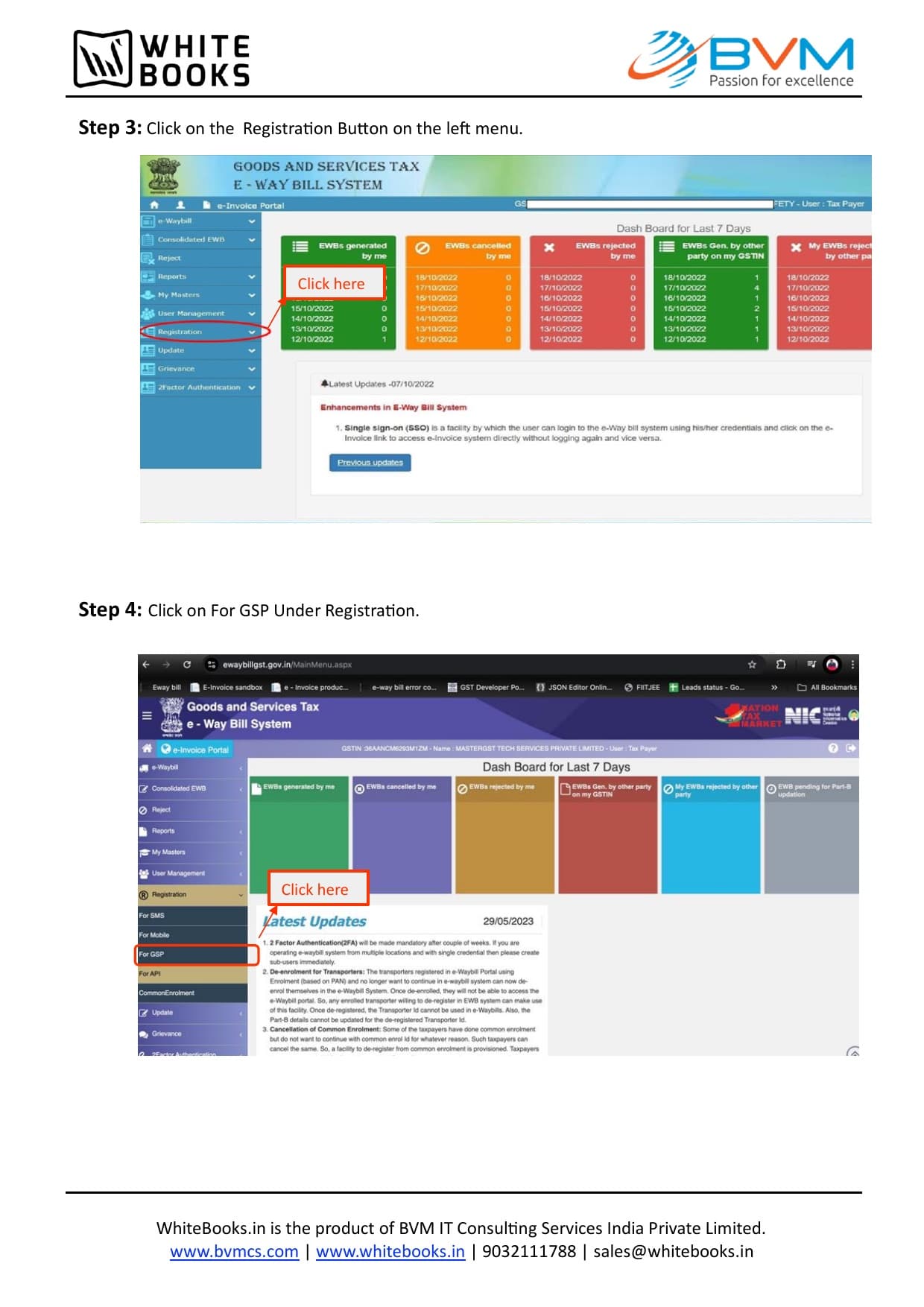
Open Registration → For GSP
1In the left-hand menu, click Registration.
2Under it, click For GSP.
From Whitebooks' official setup guide
3
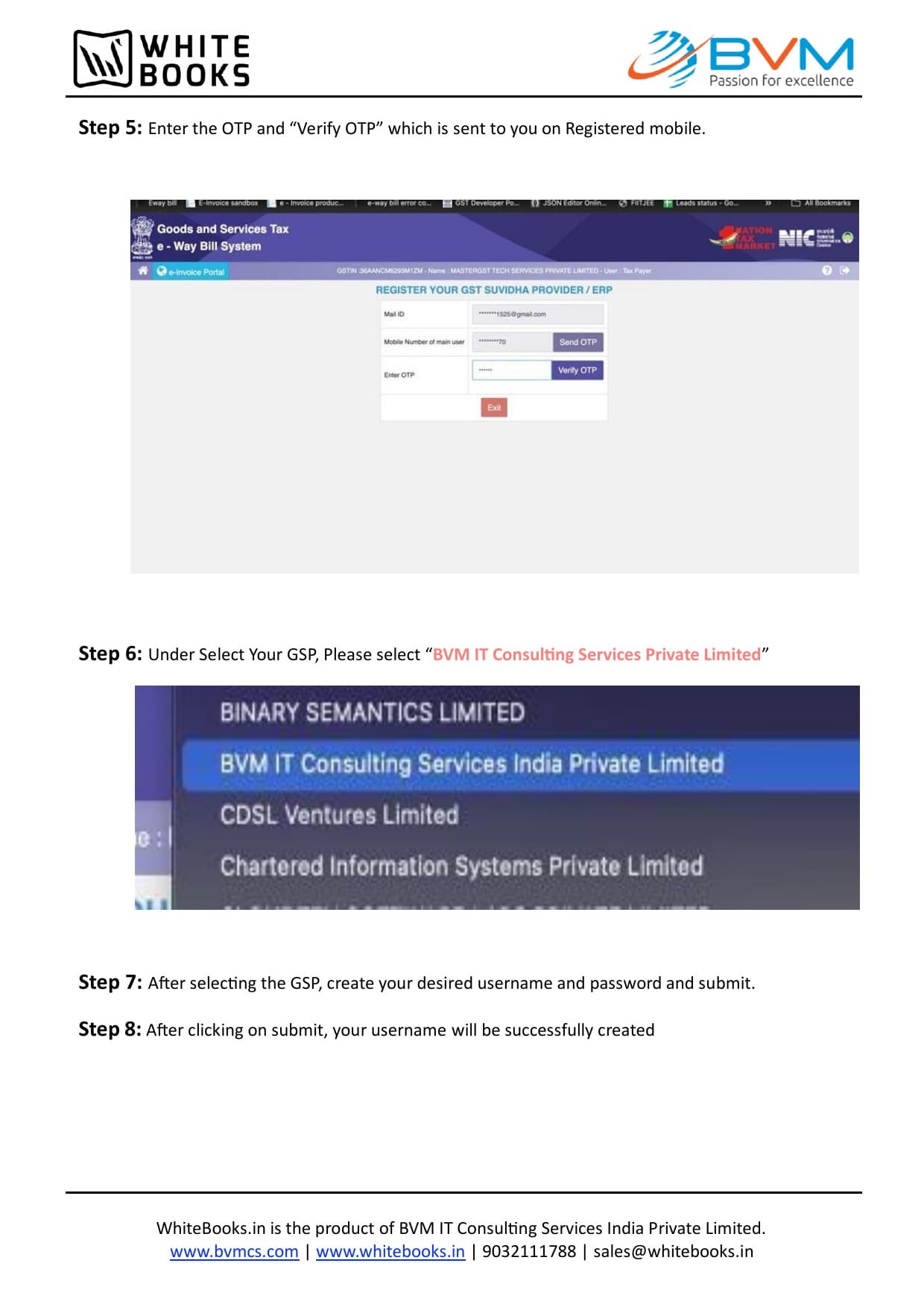
Verify the OTP sent to your registered mobile
1Click Send OTP.
2Enter the 6-digit OTP received on the mobile number registered against this GSTIN.
3Click Verify OTP.
4
Select Whitebooks as your GSP
1Under Select Your GSP, choose BVM IT Consulting Services India Private Limited — this is Whitebooks, the GSP ClayBill uses.
Important: Selecting any other name in this list will not work with ClayBill — it must be BVM IT Consulting Services India Private Limited.
From Whitebooks' official setup guide
5
Create your API username and password, and submit
1Choose a username and a strong password for this API login — this is separate from your normal portal login.
2Click Submit. The portal confirms your new API username immediately.
Important: Write this username and password down — you'll enter them (not your regular portal login) into ClayBill under Company Settings → E-Way Bill Login.
Live Screen-Share Assistance
Stuck on any step?
Our support team can guide you or your accountant over a quick WhatsApp call.