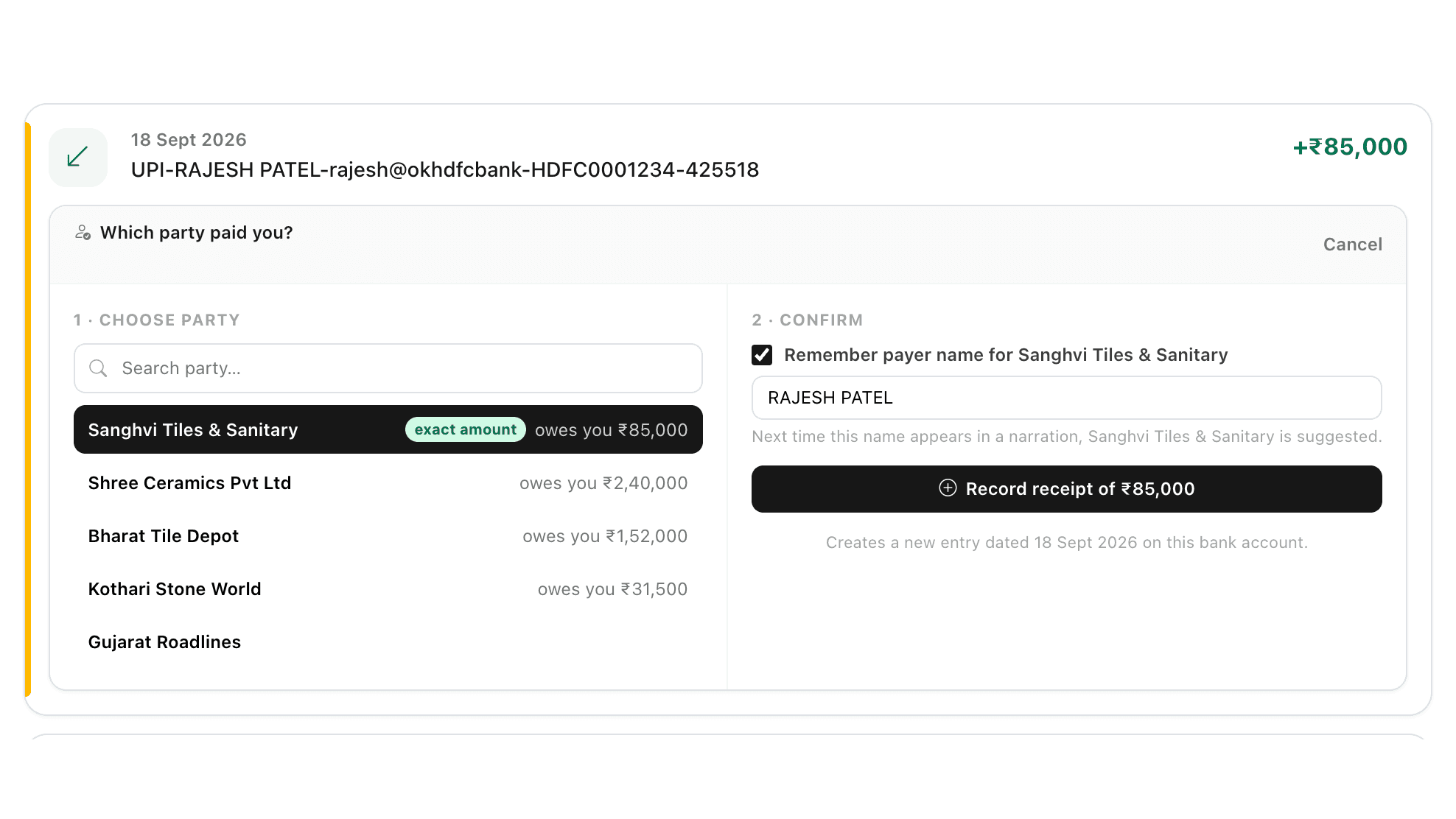
When the name on the bank statement is not your party (a dealer paying from the owner's or a relative's account), match it yourself:
1. On the reconcile screen, click Record receipt on that line.
2. Search for and select the business party being settled. Parties who owe exactly that amount appear first with an exact amount tag.
3. If that party already has an unmatched receipt on this bank account, click Link this instead of creating a duplicate. This works even when the amount differs, for example a part payment.
4. Leave Remember payer name ticked and check the pre-filled name. Next time that name appears in a narration, the business party is suggested.
To remove a saved payer name, open Saved payer names at the bottom of the reconcile page and click Remove.