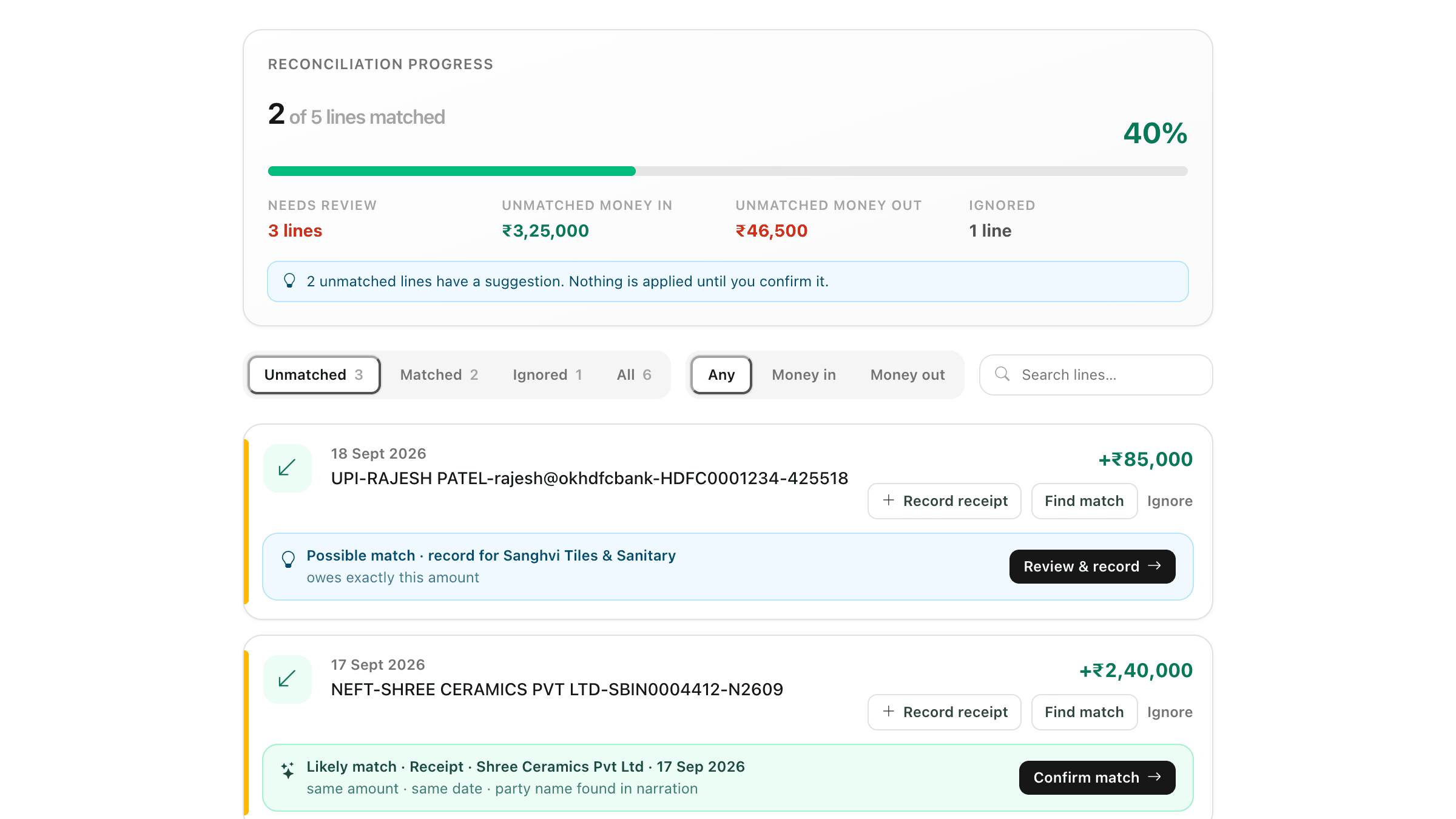
Open Reconcile statement on the bank account. The Unmatched tab lists lines still needing attention.
• If a line shows a Likely match or Possible match, check the reasons and click Confirm match. Nothing is applied until you confirm.
• Click Find match to see your existing receipts (money in) or payments (money out) with the same amount within 7 days, then click Match.
• If the money is in the bank but not in ClayBill, click Record receipt or Record payment, pick the party, and the entry is created and matched in one step.
• Click Ignore for lines you do not book, such as bank charges. Ignored lines can be restored.
• Click Unmatch to undo a wrong match — the receipt or payment itself is kept.
Use the Money in / Money out toggle and the search box to find a specific line by narration or amount.